
Help / Walkthroughs
Walkthrough: the office and scheduling
 Film coming soon
You take a sold job and get it ready to build: the deposit, the dates, the approvals and anything missing.
What comes to you
- A job at Sold, the moment a customer signs a quote. It is on Sell, Orders and on the Jobs board.
- Answers from customers about whether the site is ready.
- Holds the floor or the field put on a job. They show in red on Today.
What you do first, for every new order
- Click Sell, then Orders.
- Find the new order at the top.
- If they gave you a PO or a date they need it by, click the order to open the job, click Edit, and type them in.
- Back on Orders, click Acknowledge. The customer gets the order acknowledgment.
- If the app offers the deposit invoice, click Bill the deposit.
Book the dates
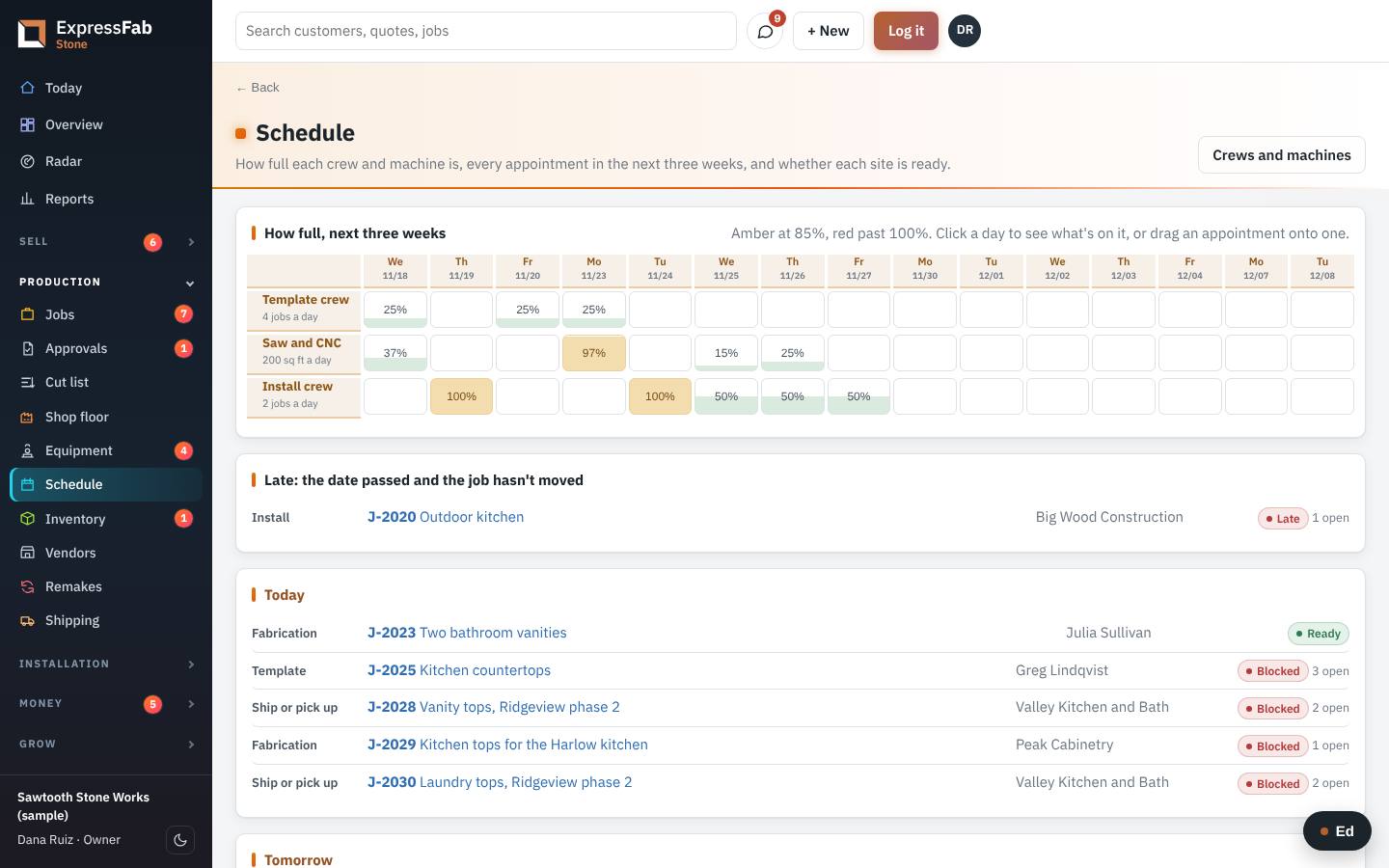
- Click Schedule.
- Look under Needs a date.
- Click Book earliest on the job. It takes the first day the crew has room.
- To move a visit, drag it to another day.
Make sure the site is ready
- Open the job.
- Find the card that starts with Ready for.
- Tick what you know is done.
- Click Ask them now to ask the customer about the rest. Their answer lands on the job.
Get the drawings approved
- On the job, find Drawings and approvals.
- Add the layout or the shop drawing, and say who it goes to.
- When the answer comes back, click Record the answer.
- When it is approved, click Release to the floor.
Move the job on
- Click Move to the next step.
- A box opens. Type a note if the next person should know something.
- Click the button to move it.
Where it goes next
- Production sees the job in its step on the Jobs board, with your note on the move.
- The field crew sees the visit on their phone on the day you booked.
If something is missing
- Open the job and click Something's holding it up.
- Say what is missing, and who it is waiting on.
- Pick who to tell: the customer, the supplier or a teammate. Pick email, text or a message in the app.
- When it arrives, click Got it.
This is the manual that's inside the app, where every screen also has Ed to ask. Still stuck? Contact support.