
Help / Walkthroughs
Walkthrough: the owner
 Film coming soon
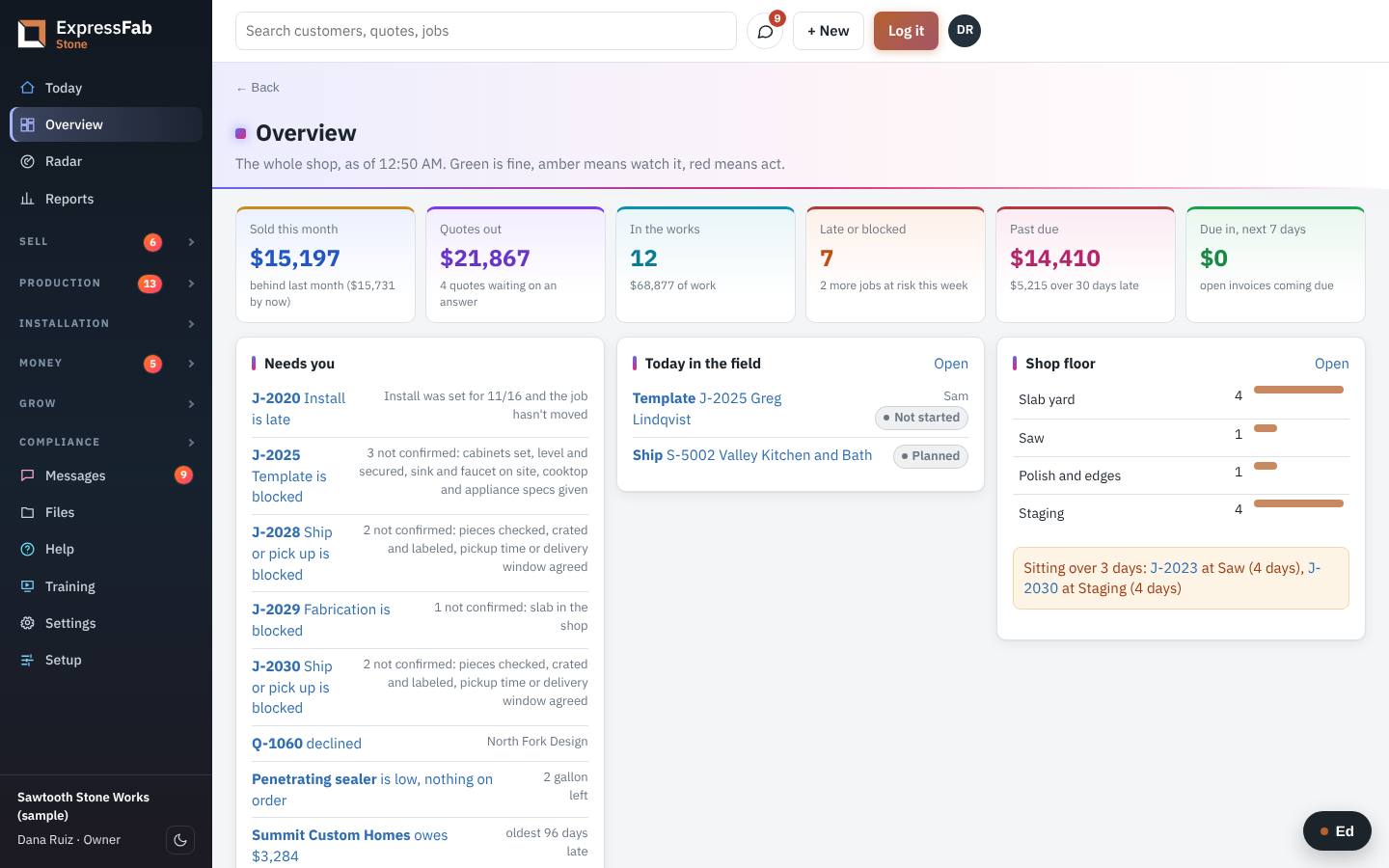
You see the whole shop on one screen, and you step in only where something needs you.
What comes to you
- Jobs that are late, on hold or at risk, with the reason.
- Money that is past due.
- Customers who have gone quiet.
Each morning, about five minutes
- Click Today.
- Read Needs attention. Click any job to see what is in the way.
- Click Overview. Green is fine. Amber means watch it. Red means act.
Once a week
- Click Radar. It lists customers who are slipping and customers who are due to order again.
- Click Schedule. Look at how full each crew is for the next three weeks.
- Click Reports for sales, on-time jobs, remakes and margin.
When a job is stuck
- Open the job.
- Read Holding it up. It says what is missing and who it is waiting on.
- Scroll to Moves. It shows every step the job took, who moved it, how long it sat, and any notes.
- Click Tell someone on the hold to chase it.
Ask Ed
Click Ed at the bottom right and ask in your own words. For example: "What's late this week?" or "Who owes us the most?"
What each person should read
Each role has its own walkthrough under Help, Walkthroughs: sales, the office, production, the field crew and billing.
This is the manual that's inside the app, where every screen also has Ed to ask. Still stuck? Contact support.