
Help / Walkthroughs
Walkthrough: sales and estimating
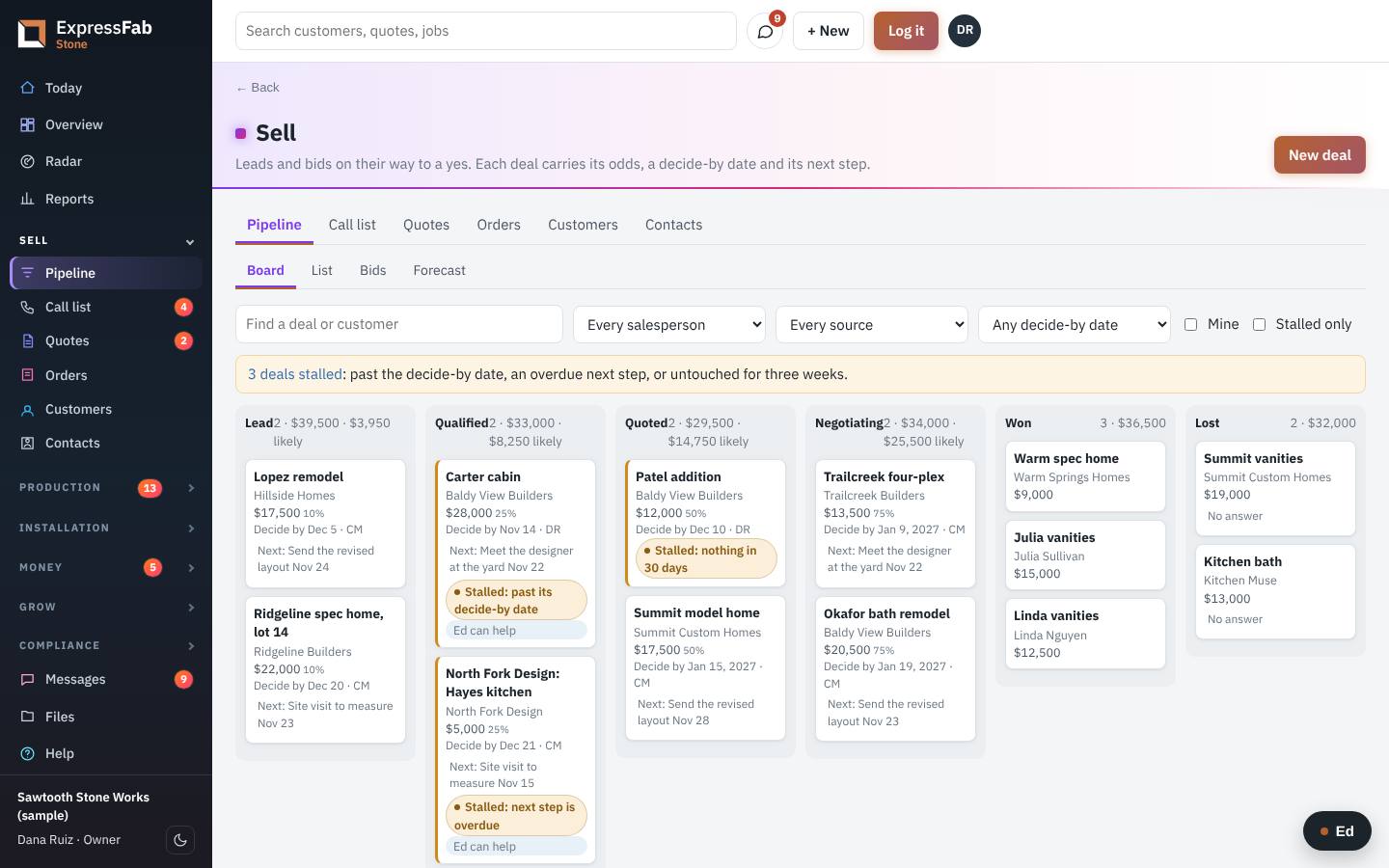 Film coming soon
You turn a call into a signed quote. Then the job leaves your hands by itself.
What comes to you
- A request from your shop's web page. It shows up in Pipeline as a deal at Lead, with the customer already made.
- A call, an email or a walk-in. You add that one yourself.
What you do
- Click Sell in the left menu.
- Click Pipeline.
- For a call or walk-in, click New deal. Say what it is, pick the customer, and click Save.
- Click the deal to open it.
- Click Quote it. A new quote opens with the customer filled in.
- Click Add from the price list and pick the items. Or click Add a line for something of your own.
- Check the deposit and the tax.
- Look at If they sign today. It shows the earliest dates the shop can keep.
- Click Save.
- Click Send. The customer gets an email with the quote and a button to sign.
- If they say yes by phone instead, open the quote and click Mark accepted.
- If they say no, click Declined and pick why.
While you wait
- Open Today. The card Quotes waiting over a week lists who to call.
- After a call, click Log it and type what was said. Add a follow-up date if you need one.
- A deal that has gone quiet is marked Stalled. Open it and click Draft a follow-up. Ed writes it from your notes.
Where it goes next
- The moment the customer signs, the quote becomes a job at Sold. You do not retype anything.
- The deal moves to Won by itself.
- The office sees it on Sell, Orders, and sends the deposit invoice and the order acknowledgment.
- Scheduling sees it under Needs a date.
If something is missing
Open the job and click Something's holding it up. Say what is missing and pick who to tell. See *When something is holding a job up*.
This is the manual that's inside the app, where every screen also has Ed to ask. Still stuck? Contact support.